






Bi-Directional Sync for Salesforce and Beyond: Ensuring Operational Efficiency
How true bi-directional sync keeps Salesforce, your ERP, and your database consistent in real time, and where one-way pushes and nightly batch jobs fall short.
- Author
- Ruben Burdin · Founder & CEO
- Published
- Updated
- Read time
- 9 min read

In modern enterprises, operational efficiency is directly tied to the built-in flow of data between specialized applications. Teams rely on best-of-breed tools like Salesforce for customer relationship management (CRM), NetSuite or SAP for enterprise resource planning (ERP), and various databases for custom applications. While these systems excel at their specific functions, they often create isolated disconnected systems. This fragmentation is a significant technical challenge, leading to data inconsistencies, manual reconciliation, and costly operational errors.
One-way data pushes or nightly batch jobs are insufficient for the demands of a real-time business environment. These methods often lead to data discrepancies, where one system's records contradict another's, creating a cascade of problems across sales, finance, and operations [1]. The definitive solution to this data chaos is true bi-directional synchronization a method that ensures data remains consistent, accurate, and available across all critical systems in real time.
The Technical Challenge: Data Discrepancies in Operational Systems
The core problem is that business processes span multiple departments and, therefore, multiple systems. Consider a typical quote-to-cash cycle:
- 01A sales representative closes a deal in Salesforce.
- 02The finance team needs this information in the ERP to generate an invoice.
- 03The operations team needs the order details to manage inventory and fulfillment.
Without a reliable sync mechanism, this process is fraught with potential failures. Manual data entry is slow and error-prone. A delay in updating the ERP can lead to incorrect financial forecasting, while a mistake in transcribing order details can result in shipping the wrong product. These are not minor inconveniences; they are critical failures that impact revenue, customer satisfaction, and data integrity.
Key data points that require constant, reliable synchronization between CRM and ERP systems include:
- Customer and account information
- Quotes, contracts, and sales orders
- Product and pricing lists
- Invoice and payment status
- Shipment and fulfillment history [2], [3]
Maintaining consistency across these points is fundamental to creating a single, authoritative view of the customer journey and ensuring smooth business operations.
Understanding True Bi-Directional Synchronization
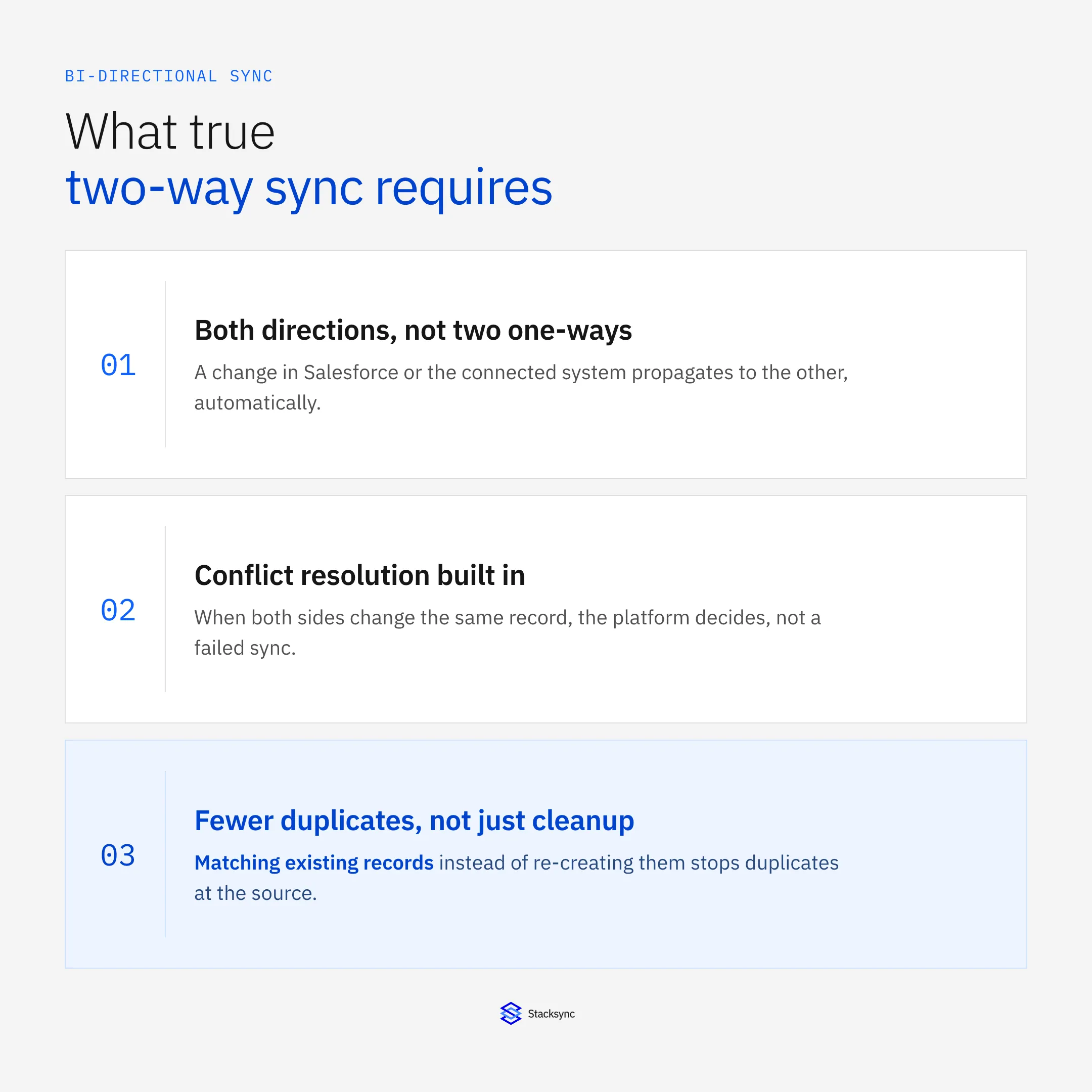
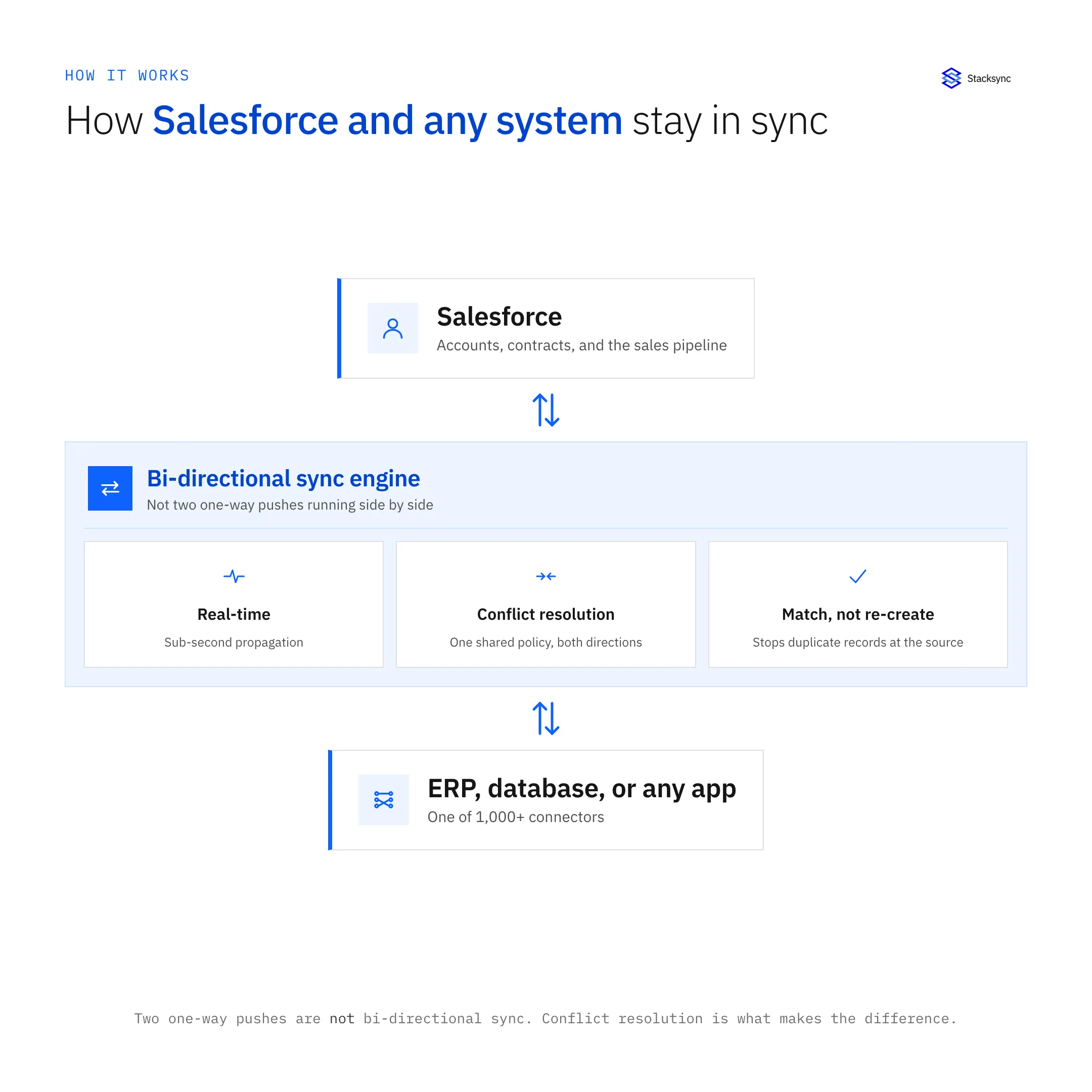
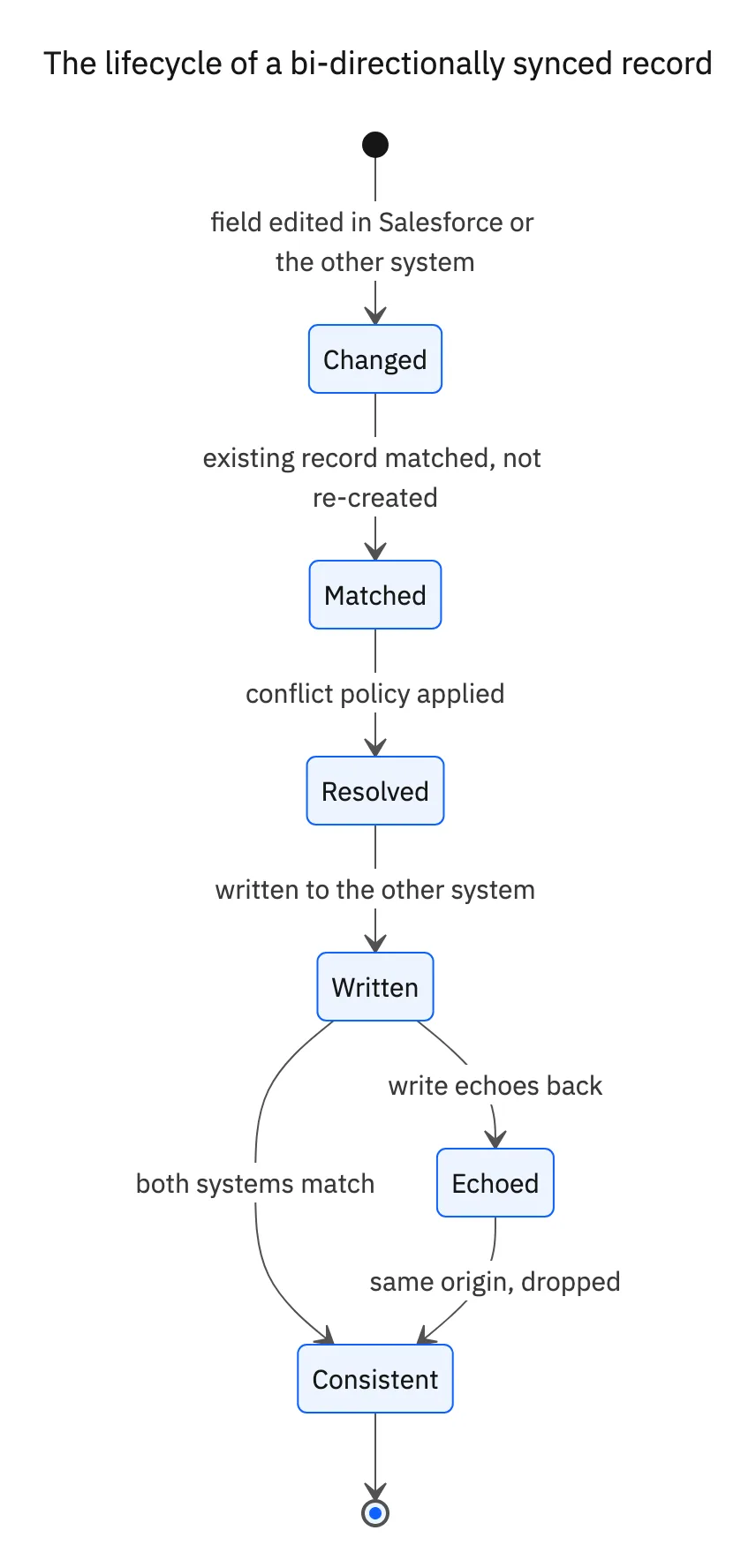
Bi-directional synchronization is an automated integration that enables real-time, two-way data exchange between systems. When a record is created or updated in one application, the change is instantly and accurately propagated to the connected application, and vice-versa [4].
This is fundamentally different from configuring two separate one-way syncs. A true bi-directional sync platform is engineered with sophisticated logic to handle complex scenarios, preventing common issues like infinite sync loops and data overwrites. An enterprise-grade solution must possess several key characteristics:
- Real-Time Performance: Data should sync with minimal latency to support immediate operational decisions.
- Conflict Resolution: An intelligent mechanism to handle cases where the same record is updated in both systems simultaneously.
- Reliable Error Handling: A reliable system to manage, log, and retry failed syncs without data loss.
- Scalability: The ability to handle high volumes of data, from thousands to millions of records, without performance degradation [5].
How to Sync Data Between Applications: Common Approaches and Their Limitations
Organizations have traditionally approached data synchronization in several ways, each with significant technical drawbacks.
Custom Code and In-House Builds
Building custom integration scripts using APIs offers maximum flexibility but comes at a high cost. These projects are resource-intensive, requiring months of development and ongoing maintenance from skilled engineers. The resulting code is often brittle, difficult to scale, and lacks the sophisticated error handling and monitoring of a dedicated platform. This diverts valuable engineering talent from core business innovation to maintaining "dirty API plumbing."
Generic iPaaS (Integration Platform as a Service)
While iPaaS solutions provide a wide array of connectors, they are often general-purpose tools not specifically optimized for real-time, bi-directional sync. Many rely on scheduled or trigger-based workflows that can introduce latency. Configuring them for true two-way data synchronization can be complex, often requiring developer-level expertise and still failing to address nuanced issues like conflict resolution without extensive custom logic.
Point-to-Point Connectors
These solutions are designed to solve a single integration need, such as connecting Salesforce to one other specific application. While simple to set up, they do not scale. As an organization adds more systems, it ends up with a tangled, unmanageable web of individual connections that are impossible to monitor or maintain centrally.
The built specifically Solution: Real-Time, Scalable Sync with Stacksync
The limitations of traditional methods highlight the need for a platform engineered specifically for operational data synchronization. Stacksync is a built specifically solution designed to provide real-time, two-way sync for enterprise data as data volume grows, connecting CRMs, ERPs, and databases with reliability [6]. It directly addresses the technical failures of other approaches.
- True Bi-Directionality: Stacksync is built from the ground up for two-way data flow, with built-in conflict resolution and loop prevention to help ensure data consistency.
- Real-Time Performance: The platform operates with low latency, ensuring that changes made in Salesforce are quickly available in your ERP and vice-versa.
- Scales With Your Data: Stacksync is architected to handle large data volumes, allowing your integration infrastructure to scale as your business grows [6].
- Automated Reliability: The platform manages API rate limits, pagination, and transient errors, with dashboards for monitoring and issue resolution. This reduces the maintenance burden on engineering teams [7].
- Flexible Implementation: Stacksync offers both a no-code setup for rapid deployment and a pro-code (configuration-as-code) option for technical teams that require version control and programmatic management of their integration workflows [7].
A Practical Example: Two-Way Sync Between Salesforce (CRM) and an ERP
The operational impact of a true bi-directional sync is best illustrated with a practical example. The table below shows how Stacksync facilitates a built-in data flow between a sales team in Salesforce and a finance team in an ERP like NetSuite.
Salesforce ↔ ERP: Real-Time Operational Flows
| Data Point | Update in Salesforce (Sales) | Real-Time Sync (Stacksync) | Reflected in ERP (Finance) | Operational Benefit |
|---|---|---|---|---|
| New Customer Account | A sales rep creates a new account. | Stacksync instantly creates the corresponding record in the ERP. | Finance can immediately set up billing and credit terms. | Faster customer onboarding and reduced time-to-first-invoice. |
| Deal "Closed Won" | An opportunity status is changed to “Closed Won.” | Stacksync automatically creates a Sales Order using the opportunity data. | Finance can generate an accurate invoice without manual data entry. | Accelerated quote-to-cash and elimination of transcription errors. |
| Shipment Status | Not applicable (ERP updates shipment info) | Stacksync syncs tracking details back to Salesforce. | Shipment recorded with tracking number and status. | Real-time updates for sales/support; better customer comms. |
| Customer Address Update | A rep updates the billing address in Salesforce. | Stacksync pushes the new address to the ERP immediately. | Invoices reflect the correct billing address. | Reduced billing errors and improved data accuracy. |
The Operational Payoff
Implementing a reliable bi-directional sync solution transcends simple data integration; it gives the entire organization.
- Guaranteed Data Consistency: Establish a single, reliable source of truth across all operational systems, eliminating ambiguity and supporting trust in your data.
- Enhanced Operational Efficiency: Automate cross-departmental workflows, eliminate redundant manual data entry, and significantly reduce the risk of human error [2].
- equipped Teams: Equip your sales, finance, and operations teams with the accurate, real-time data they need to make faster, more informed decisions and deliver a superior customer experience.
- Strategic Engineering Focus: Free your engineering teams from the endless cycle of building and maintaining brittle integration pipelines. Allow them to focus on developing core products and features that drive competitive advantage.
Preventing Duplicate Records, Not Just Cleaning Them Up
Disconnected integrations are one of the biggest sources of duplicate Salesforce records, industry data on CRM data quality has put the duplicate rate for data entering a CRM via API integrations as high as 80%. Salesforce's native duplicate-management tools are reactive: they flag likely duplicates after they already exist, they do not stop a one-way sync from pushing them in.
A true bi-directional sync avoids this at the source. Because updates flow both ways with conflict resolution built in, a record that already exists gets matched and updated instead of re-created, which is a structurally different fix than running deduplication reports after the fact.

More Ways Teams Put Bi-Directional Sync to Work
- Real-time analytics: syncing Salesforce data into a SQL database like PostgreSQL supports live dashboards and internal tools without adding load to Salesforce itself. See our PostgreSQL-Salesforce sync comparison for platform options.
- Contract and account alignment: keeping contract records synced with the Salesforce accounts they belong to, so renewals and account-level reporting reflect the current contract state instead of a stale nightly snapshot.
Apply this in industrial equipment and machinery: accepted configuration and commercial order line
Equipment manufacturers can apply Salesforce integration to approved machine configurations and NetSuite orders. Preserve the commercial revision and destination order reference so the sales team sees current status without silently rewriting the configuration that operations has accepted.
| Record to reconcile | Responsible owner | Rule to preserve |
|---|---|---|
| Accepted configuration | Application engineering | Retain the approved option set and revision with its customer approval evidence. |
| Commercial order line | Sales operations | Identify equipment, optional components and services separately even when sold in one deal. |
| ERP transaction link | Order management | Preserve the destination order and line references for reconciliation and later change requests. |
An exception to plan for: The customer adds an option after procurement. Route its cost and schedule effect for approval before updating accepted scope. Acceptance check for the pilot: the order retains the exact configuration version the customer accepted.
The industrial equipment and machinery hub connects the broader operating context. These guides develop the specific record mappings and decisions for this application:
The Future is Synchronized
In an economy powered by specialized, best-of-breed software, data fragmentation is a significant threat to operational agility. Bi-directional synchronization is no longer a technical luxury but a foundational component of a modern, efficient enterprise architecture. Platforms like Stacksync provide the reliable, scalable, and built specifically infrastructure needed to unify operational systems. By ensuring that Salesforce, ERPs, and databases are always in sync, businesses can operate with the speed, accuracy, and confidence required to succeed.

FAQ
Frequently asked questions




Explore these integrations and topics
Related articles


