






ERP Integration Guide: Streamline Business Operations with Real-Time Sync | Stacksync
Learn what ERP integration is, its methods, and benefits. Discover how real-time ERP integration with Stacksync boosts efficiency and data accuracy.
- Author
- Ruben Burdin · Founder & CEO
- Published
- Updated
- Read time
- 3 min read

Introduction
When your ERP isn’t integrated with the rest of your tech stack, data gets lost, approvals are delayed, and productivity suffers. ERP integration connects your ERP system with other business tools (like CRM, HR, and eCommerce) for seamless data flow and automation, reducing manual work by up to 40% and boosting efficiency by 30%.
What is ERP Integration?
"ERP integration links your ERP with other business applications to unify operations. Instead of disconnected systems that rely on spreadsheets and emails, integration enables real-time sync across tools, eliminating manual data entry and inconsistencies. Whether connecting a single CRM or multiple systems across finance, HR, and logistics, ERP integration ensures accuracy, speed, and visibility."
The ERP Integration Process
Integrating ERP systems involves structured steps:
- 01Identify systems – Map all tools used (CRM, HRM, procurement, etc.) and locate data gaps.
- 02Define data flows – Specify which data moves between systems (orders, employee info, payments).
- 03Choose integration method – Use native connectors, middleware (iPaaS), or APIs.
- 04Map data fields – Align field names and types to prevent mismatches.
- 05Test and monitor – Validate data sync accuracy and set alerts for sync failures.
ERP Integration Methods
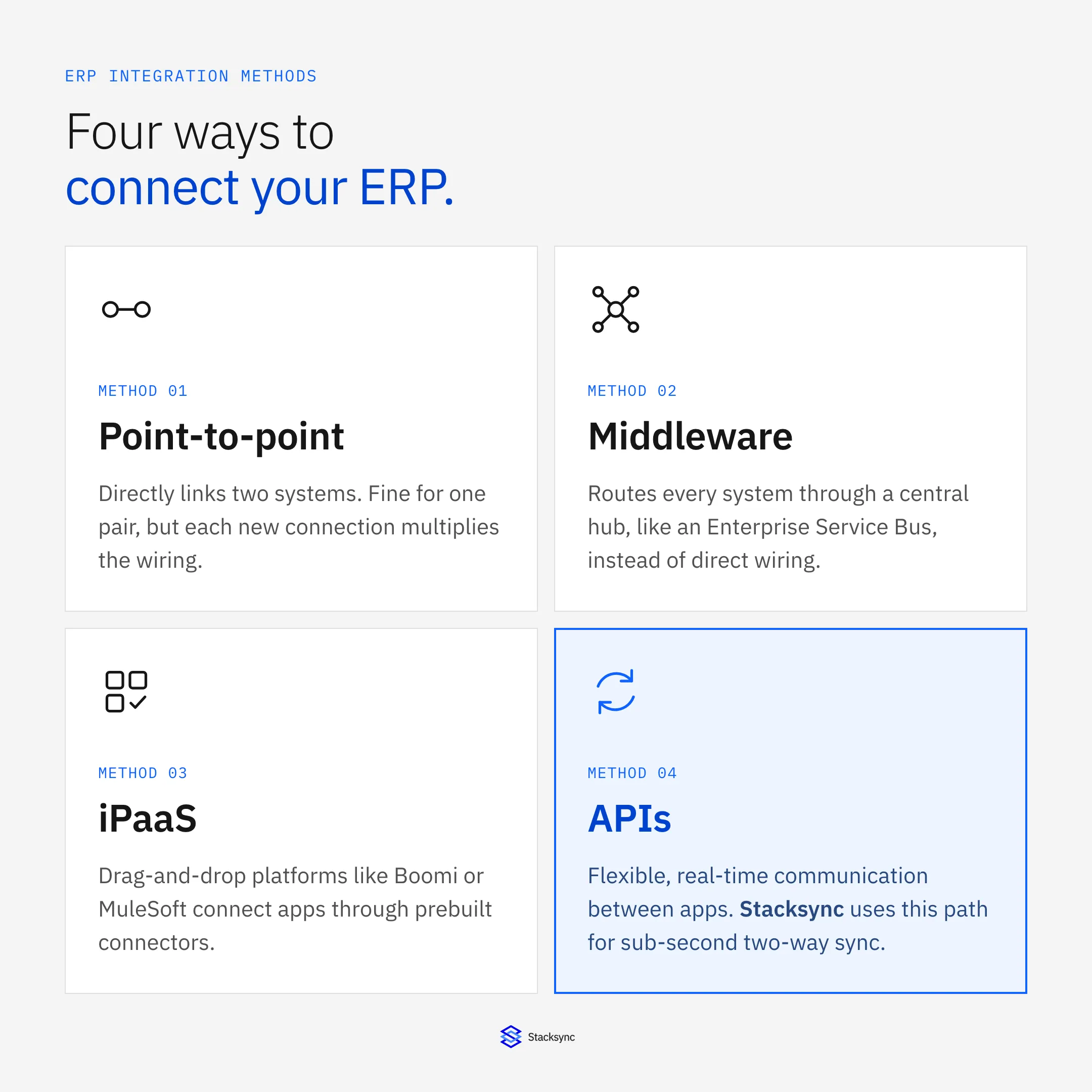
Point-to-Point Integration
Directly connects two systems. Ideal for small setups but hard to scale.
Middleware Integration
Uses middleware (e.g., Enterprise Service Bus) as a central hub for communication across systems.
Cloud-Based Integration (iPaaS)
iPaaS tools like Boomi or MuleSoft connect apps via drag-and-drop interfaces and prebuilt connectors, offering scalability and easier maintenance.
Other Options
- APIs: Enable flexible, real-time communication between apps.
- Native integrations: Built-in connections by vendors.
- Custom builds: Tailored for specific business logic.
How to Integrate an ERP System
- 01Set goals: Define metrics (reduce order time, improve visibility).
- 02Map systems: Identify platforms to connect (e.g., CRM, eCommerce, finance).
- 03Select method: Choose based on complexity and scale.
- 04Map data: Standardize identifiers and handle duplicates.
- 05Test: Simulate workflows before deployment.
- 06Monitor: Use dashboards to detect errors and measure sync performance.
Benefits of ERP Integration
- Efficiency: Automates manual workflows and reduces errors.
- Real-Time Decisions: Unified data for instant insights.
- Cost Savings: Lowers labor and IT maintenance costs.
- Agility: Enables faster responses to business changes.
- Customer Experience: Ensures consistent, accurate order and support data.
- Compliance: Strengthens security and audit trails.
| Advantages | Trade-offs to plan for |
|---|---|
| Unified operations and a single source of truth | Significant upfront investment |
| Real-time analytics and reporting | Long implementation timelines without the right tooling |
| Increased productivity via automation | Integration complexity if you skip a purpose-built platform |
| High scalability for business growth | Requires training and change management |
| Improved compliance and financial forecasting | Potential cybersecurity risk from poorly secured connections |

How Long Does ERP Integration Take?
Integration timelines depend on scale:
- Small businesses: 3–6 months
- Mid-size: 6–12 months
- Enterprises: 9–18 months
- Global rollouts: 12–36 months
Stacksync: Real-Time ERP Integration Without the Hassle
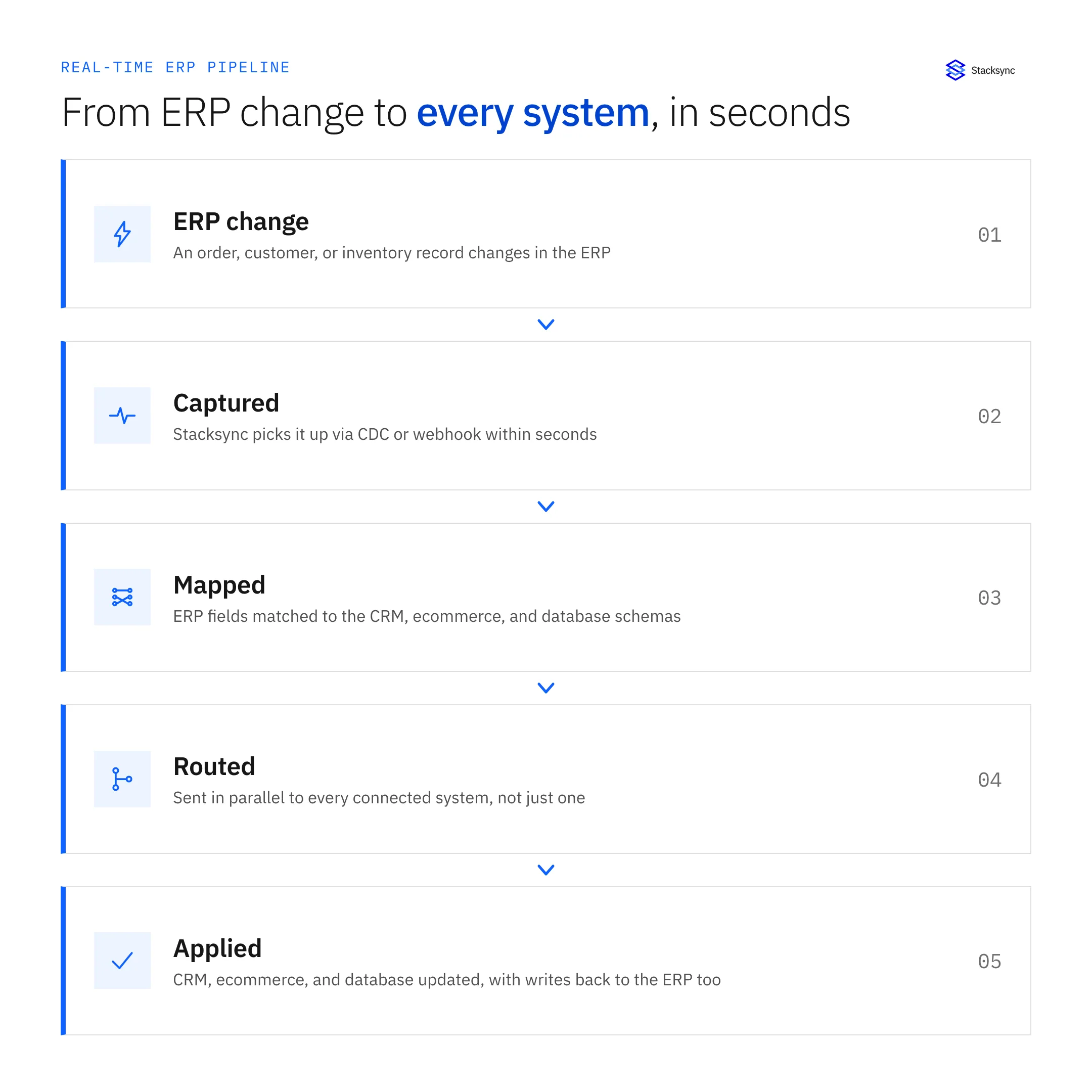
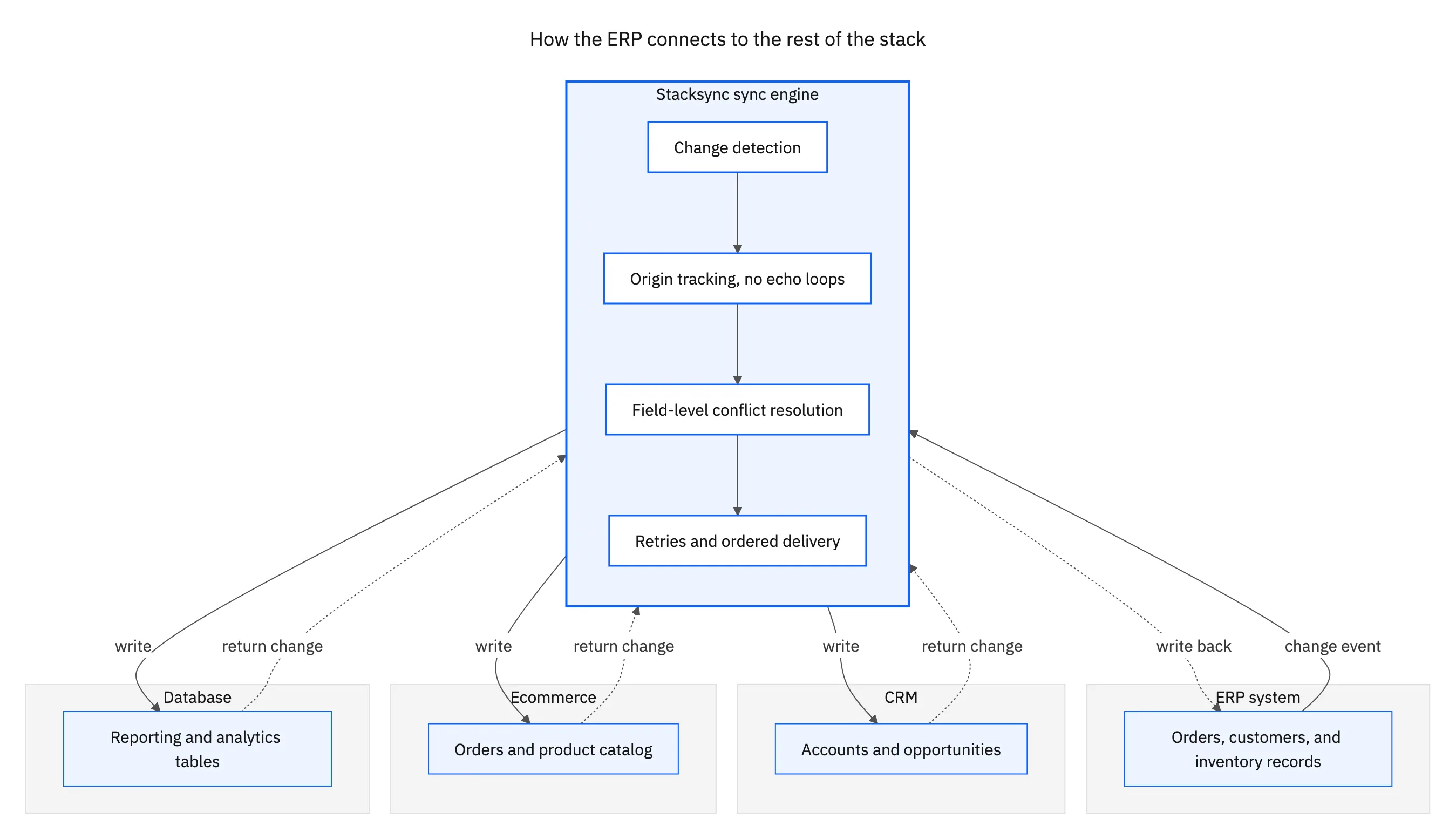
Traditional integrations rely on batch updates or middleware. Stacksync eliminates these inefficiencies with real-time, bi-directional synchronization across ERPs, CRMs, and databases. It handles complex transformations, automates workflows, and requires zero infrastructure maintenance.
Why choose Stacksync for ERP integration:
- Sub-second sync speed across platforms
- 1,000+ prebuilt connectors (NetSuite, SAP, Dynamics 365, etc.)
- Enterprise-grade security (SOC 2, HIPAA, ISO 27001)
- No-code setup and workflow automation
- Reduces engineering costs by 30%+
Stacksync empowers teams to unify financial, operational, and customer data—without writing custom code or managing API infrastructure.
Conclusion
ERP integration is the foundation of a connected enterprise. By linking systems, automating workflows, and ensuring data accuracy, businesses can move faster and make smarter decisions. Platforms like Stacksync take this further by delivering real-time, two-way synchronization that eliminates data silos, accelerates decision-making, and drives operational efficiency.
Ready to streamline your ERP data flows?
Book a free demo with Stacksyncand experience true real-time integration.

FAQ
Frequently asked questions




Related articles


